Digital Wellbeing
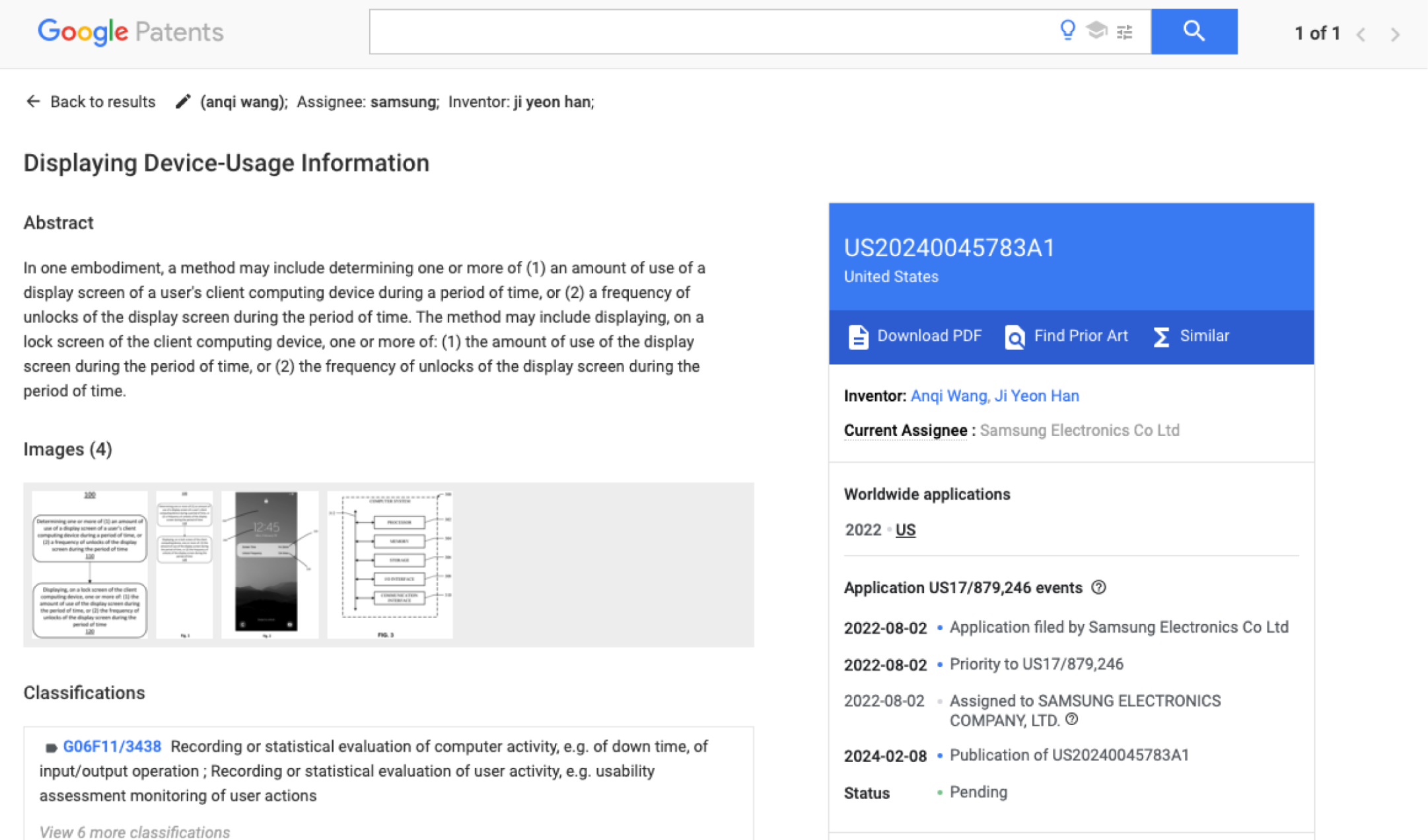
Research project: Patent pending
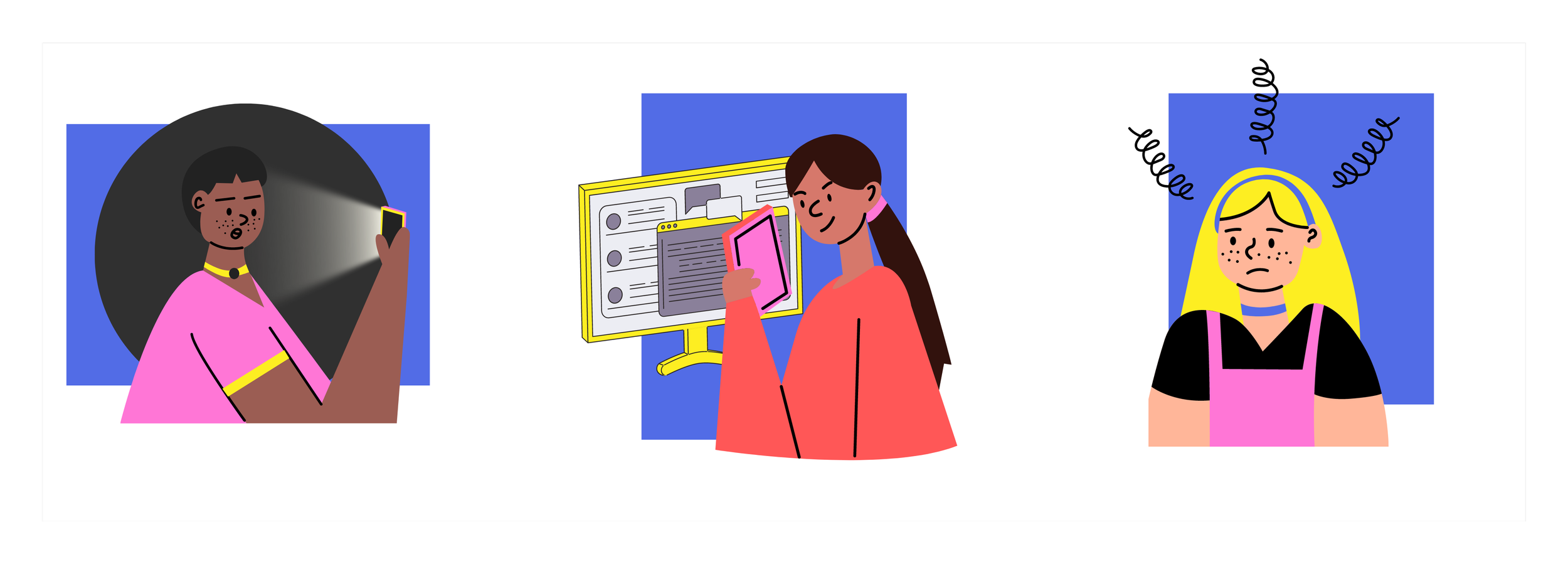
We all have these problems
#1
Do you stay up late playing with your smartphone?
#2
Do you get distracted by your phone while you are working/ studying?
#3
Do you regret after wasting so much time on your smartphone?
How can Samsung smartphones help?
Many smartphones including Samsung phones already provide users with some useful features that help them use their smartphones in a more healthy and productive way. One example is a Digital Wellbeing feature under Settings. However, these features are not commonly used by users. How can we help users to actively access and use this feature?
Project Background
This project was done during the midst of the pandemic when the topic of productivity was of interest to many. As more and more people use smartphones and mobile devices as a method to keep track of their schedules, tasks, and work, Samsung saw this as a good area to improve the experience.
The main goal of the project was to identify user pain points while using smartphones, and how Samsung smartphones can help improve productivity experiences for customers.
-
UX design and research lead
-
Phase 1: Oct 2021~June 2022
Phase 2: October 2022 ~ June 2023
-
Understand user needs from the Gen Z and identify pain points within Samsung productivity tools and features.
How can Samsung smartphones help?
Many smartphones including Samsung phones already provide users with some useful features that help them use their smartphones in a more healthy and productive way. One example is a Digital Wellbeing feature under Settings. However, these features are not commonly used by users. How can we help users to actively access and use this feature?
Business Interest & Target Market
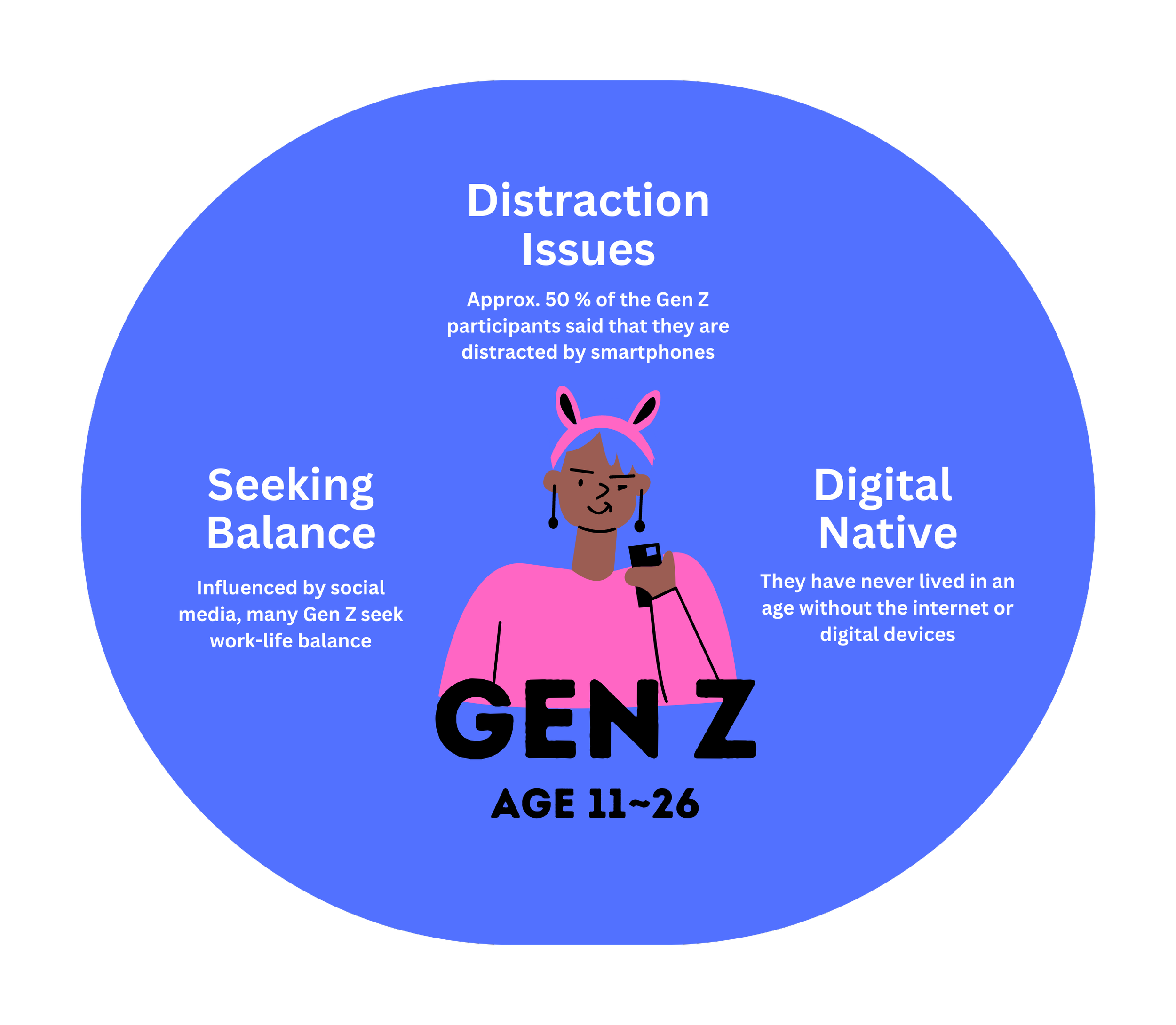
Samsung’s business interest lies heavily in Generation Z because they are the new potential customers. We were able to get connected to the graduate students from Indiana University Bloomington to obtain better reachability to the potential customers. We conducted user research with the graduate students to collect user data from Generation Z.
User Research
Below is the journey to understand user behavior in achieving productivity and the obstacles users face while they are working or studying.
— Tiffany, 25
"I still want to see the notifications. But I hope they will only occur when it's my spare time. So I can decide when to be distracted."
— Julie, 21
"Notifications of applications don't always have to be bad. And I think they can be good like they connect you to other people. But you know, you have to regulate it. And you can't just be addicted or spend all your time there. And so like, overuse can lead to bad."
User Painpoints
Based on the research we found that there are 4 types of common problems that people have with the current productivity tools provided on the device.
Lack reachability
Not influential enough
Not comfortable
Need efforts
User Journey
According to the most diary study, we were able to get a common journey of how people get distracted by using their mobile phone. Among all the steps, we noticed that there are two touch points to connect with their phones - unlocking the device and staying on the phone with no productive goals. This is our design opportunity.
Design Goal
In order to address these problems we established these 4 design keywords

Design Concepts
Out of the several design concepts developed from the research, I would like to present one highly recognized concept which was submitted as a patent.
I was inspired by other applications that aim to help people generate a habit and motivate them to continue -- the exercise applications. These applications have common features:
People can see their daily steps on the lock screen.
Users can find default health applications (like Samsung Health) in App Lists easily and understand what they are used for.
People don’t need to set much. They can just see their periodic exercise data and then decide whether they should walk more.
With the periodic reports, people would also get periodic detailed awareness, and finally generate and the habit.
Design Proposals
I would like to highlight two of the multiple design concepts that was proposed from this research. One of which was implemented on the device, and the other was applied as patent.
In the market device, users could only find their screen time data by clicking the Digital Wellbeing under Settings. This function is hardly opened after first time using the Digital Wellbeing and Parental control settings.
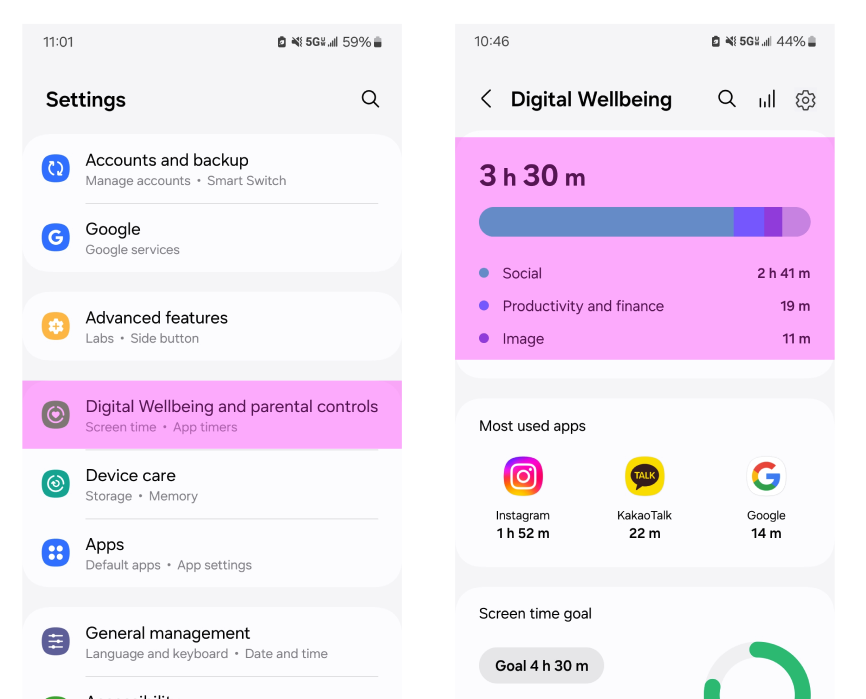
Concept #1
Add Shortcut in Homescreen
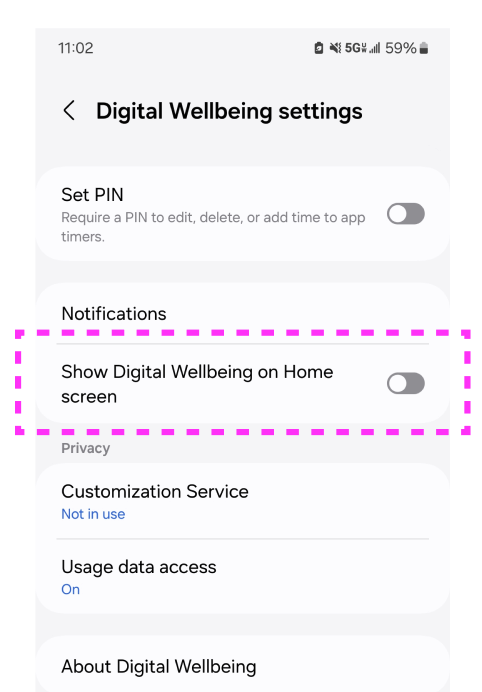
Based on the user pain points and findings, we realized that it is important to easily access the productivity tools before users get distracted by something other than the initial goal of using the phone. Therefore, we proposed a design to add a setting where users can add the Digital Wellbeing feature directly to the home screen.
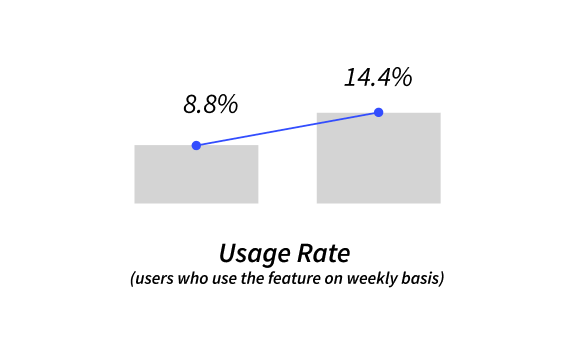
The proposal was shared with the HQ global design team in Korea. The concept was approved by HQ in Korea and was put into actual implementation! After the implementation, we noticed that the usage rate of the feature had improved significantly, proving our design to be a success.
Concept #2
Add Alert Notification from Lock screen
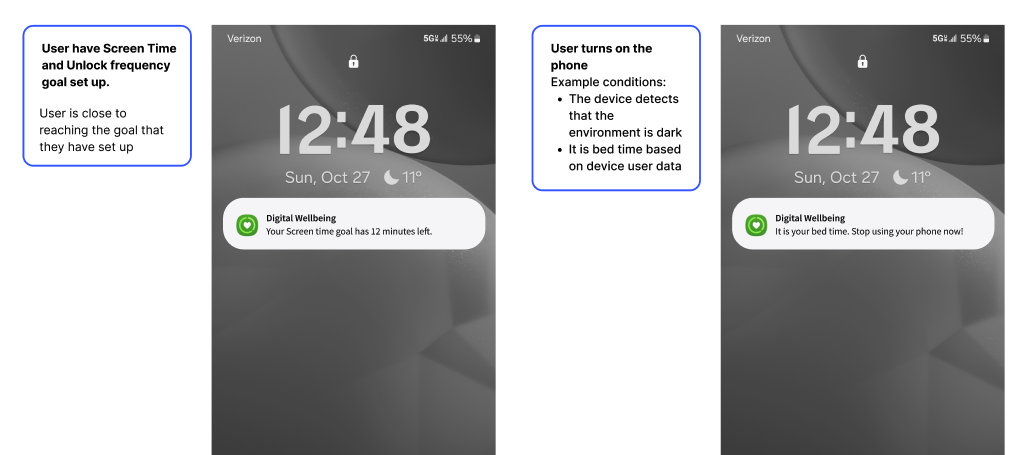
Another design proposal we had was created to tackle the first touch point of user journey - unlocking the device. With the new design, we wanted to prevent users from unlocking the phone and be distracted. Since the phone usage data is always on the lock screen, this feature would also have the opportunity to impact everyone
In order to follow the Samsung One UI design system, we have come up with the following iteration as the inital proposal.
Iteration 1: Based on Samsung One UI Design System
Iteration 2: More visible, influential, easy design
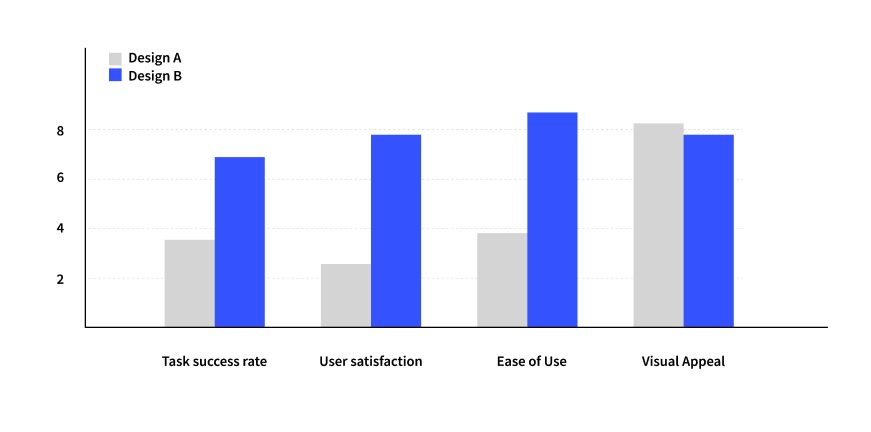
Following the Samsung One UI did not seem visible and influential enough to be matching our intial design goal. Therefore, we came up with more bold and drastic alert notification design. We asked the usability testing team to do a quick guerilla testing between the two design options to convince HQ global team for approval on the design.
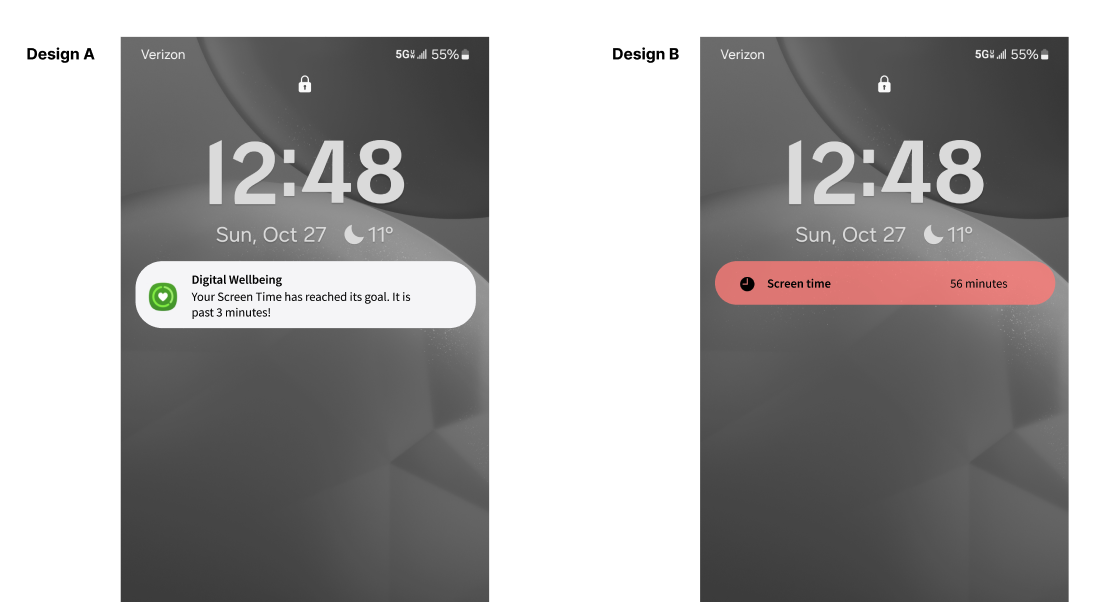
The result was as we expected. The users preferred the second design iterations far more than the initial design. However, because it deviated a lot from the Samsung One UI design system, the design was not feasible for implementation. However, it was selected as one of the patent worthy idea, and we were able to proceed with the patent registration process.
What’s next…!
The patent has been applied to the National Patent Association, and is being reviewed by US Patent Office to get approval.